Tape Measure: AR Measuring
AppTitude Technologies OUTools
4.3210.00 Reviews
- Version
- 1.1.7
- Installs
- 1.00M
- Age Rating
- Everyone
Screenshots
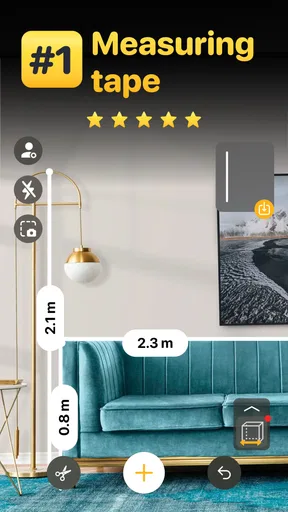
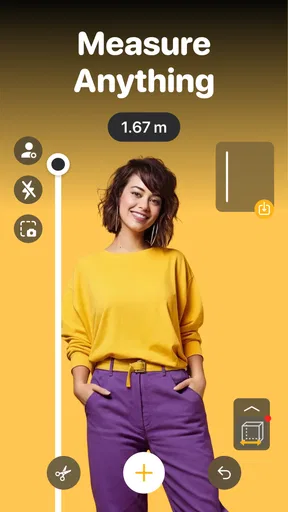
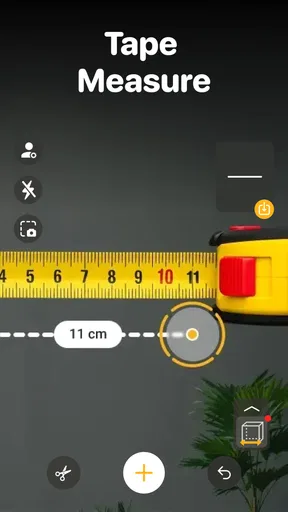
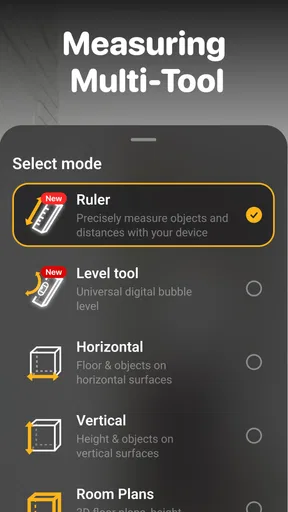
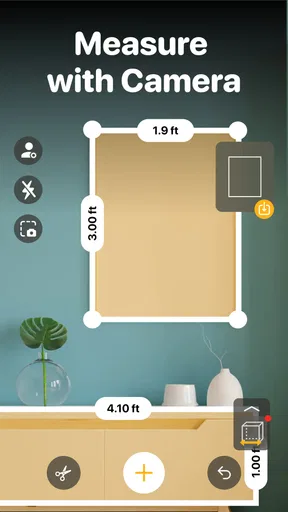
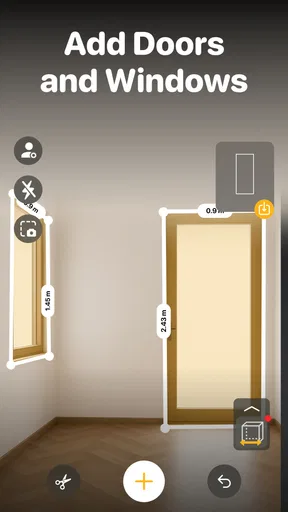
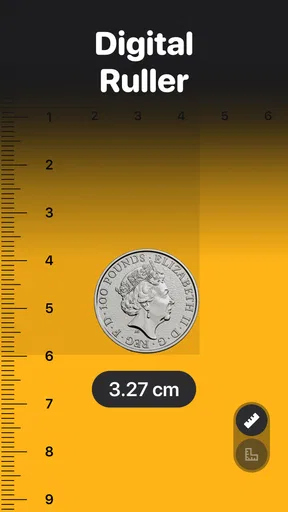
Our Review of Tape Measure: AR Measuring
 Analysis by Appyee
I like measuring apps most when they remove a small bit of friction from an everyday job. Tape Measure: AR Measuring takes that approach by turning an iPhone or iPad into a quick visual ruler for situations where finding a physical tape measure would be inconvenient. It sits in the Tools category, is free to download, and is aimed at Everyone, so the basic idea is easy to understand even if you have never used augmented reality before.
My overall impression is that it is best treated as a fast estimation tool rather than a replacement for a proper measuring instrument. That distinction matters. It can be useful when arranging furniture, checking whether an object might fit through a doorway, comparing the approximate length of two items, or making a quick note while shopping. For carpentry, construction, tailoring, or anything that depends on exact tolerances, I would still reach for a physical tape measure or a dedicated precision instrument.
How Tape Measure: AR Measuring feels in everyday use
I find this kind of AR tool most useful when I treat the first reading as a practical clue, not a final verdict. In everyday use, the value is being able to check a space before fetching another tool, while knowing when to pause and verify. Next, I’d focus on making that first attempt easier by choosing a clear target and giving the camera a calm, well-lit view.
Quick measurements are the app’s strongest use case
The appeal is immediate: instead of carrying another tool, you use the device already in your hand. The AR approach lets you frame the scene and work with visible points rather than mentally converting a screen into a ruler. That makes the app particularly convenient for rough checks, especially when the object is too large to measure comfortably with a short handheld ruler.
A realistic example is shopping for a narrow bookcase. I might know the approximate width of the space at home but still want to check the product dimensions against the opening, a nearby wall, or the distance between two pieces of furniture. A quick AR reading can help me decide whether the item is obviously too wide. It is not the final word before placing an expensive order, but it can prevent an avoidable mistake during the first check.
The same workflow can help when moving boxes, positioning a television stand, or deciding whether a plant pot will fit on a shelf. In these cases, speed is more valuable than laboratory-level accuracy. I can open the tool, inspect the object, and get a useful estimate without searching through a drawer for a tape measure.
What affects perceived speed
The app’s speed is not only about how quickly it opens. AR measuring depends on the device recognizing the scene and giving me a stable surface or reference point. In a well-lit room with visible edges and enough space to move the device, the process should feel more natural than trying to measure from a single blurry view. In a dim, cluttered, or visually repetitive area, I would expect the setup to take more patience.
This is an important practical trade-off. A physical tape measure has a small amount of preparation: pull it out, hook the end, and read the markings. An AR tool has less hardware to handle, but it relies more heavily on the camera view and the surroundings. If the app seems slow to settle, I would first improve the scene rather than assume the phone is failing. Better lighting, a clearer view of the endpoints, and slower device movement can make the interaction easier.
For quick checks, that extra adjustment is usually acceptable. If I needed to repeat the same measurement many times, however, the physical tool would probably feel faster because its behavior is predictable regardless of the room’s visual texture. This is why I see the app as a convenience layer, not as a universal replacement.
Handling a busy measuring session
Light use is where this app makes the most sense. A single check or a few related estimates should be straightforward, but a longer session introduces more opportunities for small errors. Repeatedly moving around a room, changing angles, and switching between objects can make it harder to maintain a consistent reference.
If I were measuring several spaces before moving furniture, I would work in a deliberate order. First, I would clear the path and decide which endpoints matter. Next, I would keep the device movement smooth and avoid rushing from one point to the next. Finally, I would write down the results immediately instead of trusting memory. This is not a special feature claim; it is simply the safest way to use any camera-based measuring workflow.
A useful non-obvious habit is to measure the same span twice when the result affects a purchase or a tight fit. If both readings are close, I gain confidence in the estimate. If they differ noticeably, that is a warning to use a conventional tape measure. The app can save time by identifying obvious mismatches, while the second method confirms decisions where a few millimeters or centimeters matter.
Stability and recovery when a reading feels wrong
Reliability here should be judged by the complete process, not just by whether the app launches. The camera view, the surface, the lighting, and the way I hold the device all influence the result. I would not blindly accept a number simply because it appears on screen. A measurement that conflicts with the visible proportions of the object deserves another pass.
When an AR reading drifts or seems implausible, my recovery routine would be simple: stop moving, reframe the endpoints, and try again from a slightly different angle. I would also avoid measuring through obstacles or using an endpoint that is visually ambiguous. The more clearly I can identify the exact start and finish, the more useful the result becomes.
This makes the app fairly forgiving for rough planning but less forgiving for precision work. The recovery cost is low when I am checking whether a sofa is clearly too long. It is much more significant when I am cutting material, installing a shelf into a tight recess, or ordering a custom item. In those cases, the app should be an early screening step only.
Device requirements and practical constraints
The minimum operating system is iOS 9, which gives the app a broad compatibility range on paper. That does not mean every older device will deliver the same AR experience. Camera quality, motion sensors, processing capability, and screen visibility can all affect how comfortable the measuring process feels. A newer device may handle the visual workload more smoothly, while an older compatible model may require more careful movement.
Resource demands are also best considered in context. A camera-based tool naturally keeps the display active while I work, so I would avoid assuming that a long measuring session is as light on the battery as reading a note or checking a static reference. I would not open it with a nearly empty battery before a full day of moving or renovation work. For a short household check, that concern is much smaller.
Screen size matters too. A phone is convenient because it is easy to carry, but a larger display can make endpoints and edges easier to inspect. If I were choosing between devices, I would favor the one that gives me the clearest view of the object, not merely the one with the newest operating system. Visibility is part of measurement quality.
Where it compares well with ordinary alternatives
Compared with a standard tape measure, this app wins on portability and convenience. There is no loose strip to retract, no hook to hold against the starting edge, and no need to keep a physical tool nearby. It is particularly handy for a first-pass check in a shop, at a friend’s home, or while planning a room layout.
The physical tape measure wins on repeatability, tactile feedback, and confidence at close range. It also works on surfaces that are hard for a camera to interpret. If I am measuring timber, fabric, trim, or a narrow gap where the endpoints are obvious to my hands but not to the camera, the conventional tool is the better choice.
Compared with a basic ruler, the AR option is more practical for long distances and large objects. A ruler is excellent for small, controlled measurements on a desk, while an AR tool can cover a room-scale task without requiring a long physical instrument. The trade-off is that a ruler gives me a direct, visible scale, whereas the app asks me to trust a digital estimate shaped by the scene.
That difference also explains why I would not use it as the sole method for professional work. A quick digital estimate can guide the next action, but it should not be confused with a calibrated result. The right alternative depends on the consequence of being wrong.
Free access and the upgrade question
The app is free, which makes it easy to test before deciding whether it fits my routine. It also includes in-app purchases ranging from around five dollars to around thirty-five dollars per item. I would therefore try the free experience against my actual needs before paying for anything. The important question is not whether an upgrade exists, but whether the extra value matters for the kinds of measurements I make.
For occasional household checks, free access may be enough to decide whether the workflow is convenient. For frequent use, I would examine the purchase screen carefully and consider how often I would genuinely open the app. Someone who only measures a room once every few months may get better value from keeping a physical tape measure nearby, while someone who dislikes carrying tools may find the convenience more persuasive.
I also appreciate that the age rating is Everyone. That makes the app approachable for families and casual users, although younger users should still understand that an AR estimate is not automatically exact. A parent helping with a room project can use the app as a teaching aid, showing how viewpoints, endpoints, and repeated checks affect a result.
Who should use it, and who should skip it
I would recommend giving it a try if you want a compact helper for interior planning, shopping decisions, quick object comparisons, or rough space checks. It is especially suitable for people who often find themselves without a tape measure at the moment they need one. The low commitment of a free download makes that experiment reasonable.
I would skip relying on it if your work demands certified accuracy, tight installation tolerances, or measurements that will determine how much material to cut. I would also choose a physical tool if you regularly measure in poor lighting, outdoors under difficult conditions, or around surfaces with unclear boundaries. In those situations, the app may add a second step instead of removing one.
Another group that may be disappointed is anyone expecting the camera to understand every object automatically. The useful result still depends on the user selecting meaningful endpoints and holding the device sensibly. This is a measuring aid, not a substitute for judgment. The best experience comes from treating the visual reading as evidence to check, not as an unquestionable answer.
Developer, version, and longer-term confidence
Tape Measure: AR Measuring is made by AppTitude Technologies OU. The current version is 1.1.7, and the app was released on April 21, 2025. Those details place it in a relatively recent part of the app’s life, so I would keep an eye on how comfortably it fits my device and whether future updates improve the rough edges that can affect AR tools.
Its public reception is encouraging without being a reason to ignore the limitations. The app holds a 4.4 average from around fifteen thousand ratings, has more than a million installs, and shows around two hundred written reviews. That level of adoption suggests that the concept is useful to a substantial number of people, but popularity does not change the basic rule: the environment and the consequence of an incorrect measurement still determine whether it is appropriate.
From a recovery perspective, I value the fact that the app’s purpose is narrow and easy to understand. If a reading is unconvincing, I can stop, reset my approach, and compare it with a second method. I would not build an important project around a single pass, but I can comfortably use the tool to decide what deserves a more careful measurement.
My performance verdict
My verdict is positive, with a clear boundary. The app feels most valuable when speed means avoiding a search for a physical tool, and when an approximate answer is enough to guide the next decision. It is less compelling when the task requires repeatable precision, long sessions, or dependable results in visually difficult spaces.
The strongest workflow is to use it as a first filter: check the space, identify obvious problems, repeat anything important, and confirm final dimensions with a conventional instrument. That approach captures the convenience without asking the app to do a job it was never suited for. It also makes recovery simple when a reading looks unstable.
For me, that balance makes Tape Measure: AR Measuring a worthwhile free tool to keep available. I would not delete my physical tape measure, but I would install this app for those moments when convenience matters more than perfect precision. If you understand that trade-off, the app can save time, reduce guesswork, and make everyday measuring feel considerably less cumbersome.
Verdict
Strengths of Tape Measure: AR Measuring
- Quickly measures length, height, and distance through the camera.
- No physical tape measure is needed for everyday estimates.
- Simple interface makes it easy for first-time users.
- Useful for checking furniture dimensions before moving or buying.
- Measurement results can be saved or shared for convenience.
Limitations of Tape Measure: AR Measuring
- Accuracy depends heavily on lighting, angles, and surface visibility.
- Requires camera access and may not work well in cramped spaces.
- Some features may be restricted behind ads or in-app purchases.
- AR tracking can drift when measuring long or uneven distances.
- Results are estimates and should not replace professional measuring tools.
Similar Picks in This Category
View All
Google LLC4.0

Gboard - the Google Keyboard
Google LLC4.5

Google Play services
Google LLC4.3

Google Play Store
Google LLC4.9

Files by Google
Google LLC4.5

SHAREit: Transfer, Share Files
Smart Media4U Technology Pte.Ltd.4.3
Frequently Asked Questions
What is Tape Measure: AR Measuring and how does it work?
Tape Measure: AR Measuring is an augmented reality app that uses your phone’s camera and motion sensors to estimate the distance, height, or dimensions of real-world objects. After opening the measuring tool, you point the camera at a suitable surface, place virtual starting and ending points, and let the app calculate the result. The experience is convenient, but it depends heavily on camera quality, lighting, and stable movement.
How accurate are the measurements made with Tape Measure: AR Measuring?
The app can provide useful approximate measurements for everyday tasks, such as checking furniture dimensions, estimating wall lengths, or comparing object heights. However, it should not be treated as a professional surveying or construction instrument. Accuracy may change because of poor lighting, patterned or reflective surfaces, camera movement, device compatibility, and incorrect point placement. For important projects, always confirm the result with a physical tape measure.
What permissions does Tape Measure: AR Measuring require?
Tape Measure: AR Measuring normally needs access to your device’s camera because augmented reality measurements are created through the camera view. Depending on the version and available features, it may also request permission to save photos or measurement results. You can review and manage these permissions in your Android or iOS settings. If camera access is denied, the main measuring functions may not work correctly.
Can I use Tape Measure: AR Measuring without an internet connection?
Basic measuring functions may work offline once the application and its required augmented reality components are installed, since the camera and motion sensors perform much of the measurement process on the device. Nevertheless, an internet connection may be needed for downloading the app, displaying advertisements, restoring purchases, receiving updates, or accessing certain optional features. Offline behavior can vary according to your device and app version.
Is Tape Measure: AR Measuring free to download and use?
The application may be available as a free download, but free access can include advertisements, usage limits, or locked tools that require an in-app purchase or subscription. Before downloading, check the current store listing for pricing, trial conditions, and renewal details, as these can change between Android and iOS versions. Also review the cancellation terms carefully if you activate a subscription or premium trial.
